
EdTech Tools / Math Input for Google Forms
Math Input for Google Forms
Students type real math into Google Forms, and teachers see clean, rendered equations in the responses.
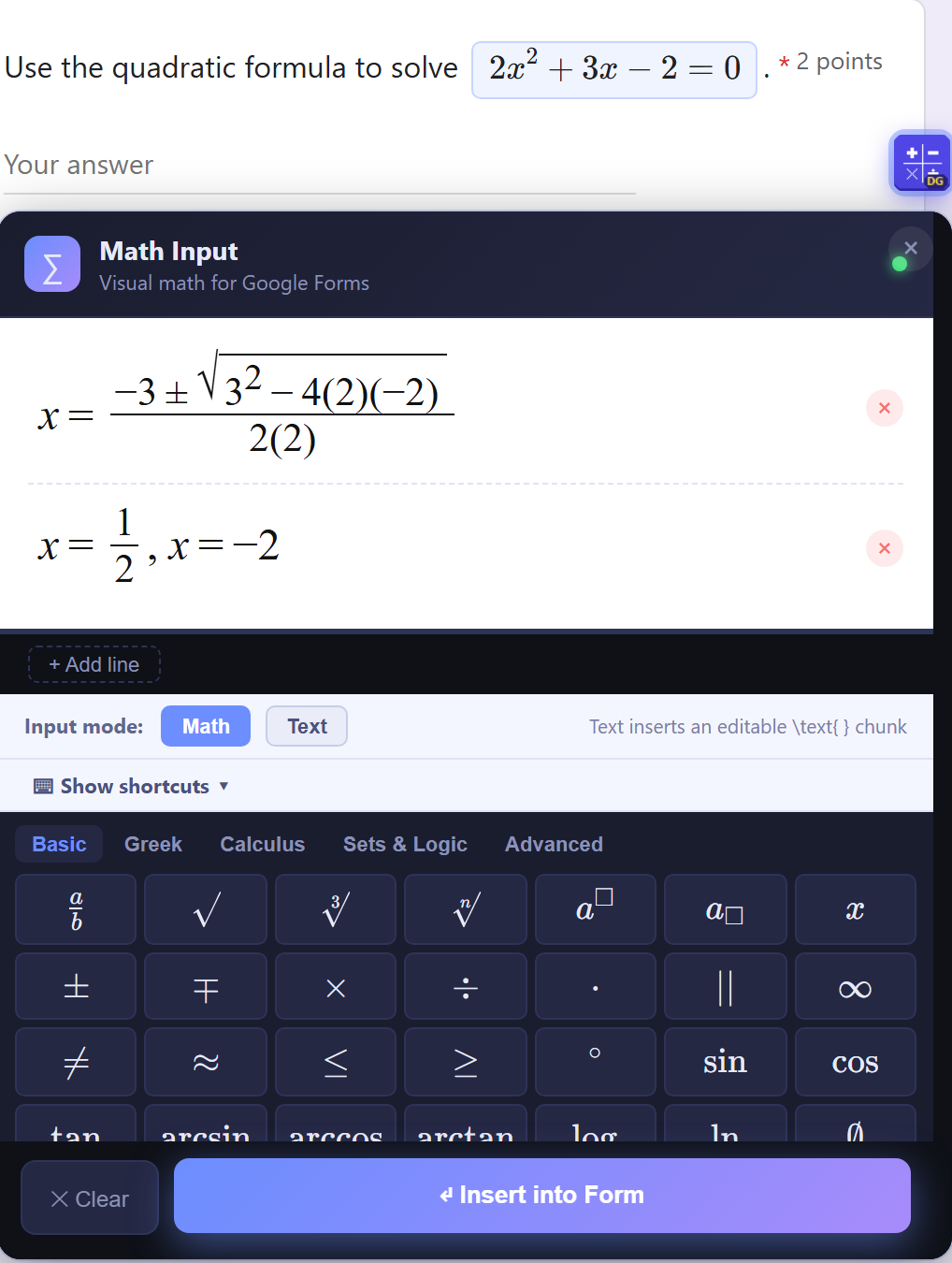
Forms can't do math
I give quizzes in Google Forms, but there's no way for students to type an equation. Answers came in as plain text like x=(-3+-sqrt(9+16))/4, which was hard for students to write and slow for me to grade.
The only other math-input option in the entire Chrome Web Store was a paid extension, and my school wasn't willing to pay for it. So I built my own, and made it free for every teacher.
One editor, three views
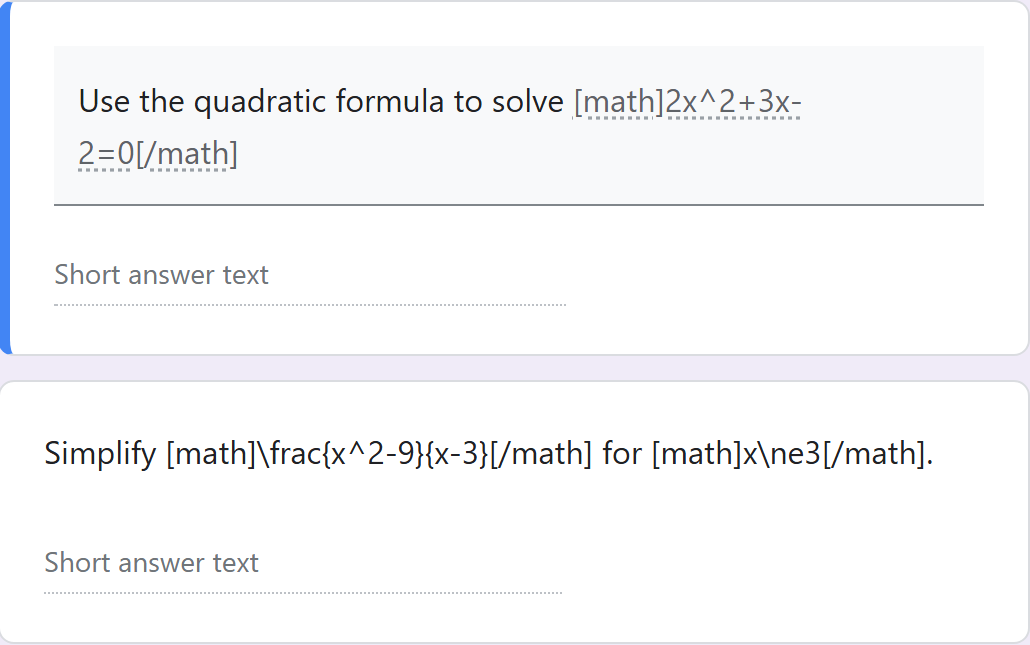
Teachers write questions
Insert equations right into question text. Words before and after the math stay in place.
Students answer in math
A visual editor with fractions, roots, Greek letters, calculus and more, one tap from the answer box.
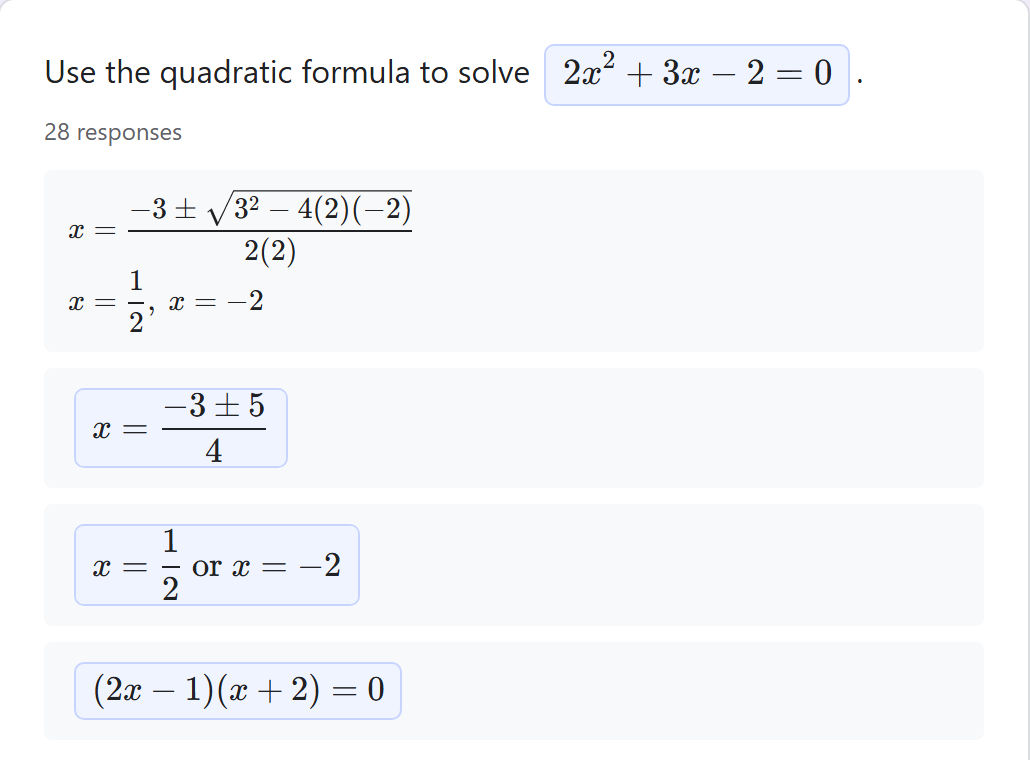
Teachers review rendered math
Every response shows as typeset math in the Responses tab, so grading is fast and clear.
Math stored as text
[math]…[/math] textBecause the equation is saved as ordinary text, Google Forms keeps working exactly as before. With the extension, the tags turn into real math. Without it, the answer is still readable.
Google Forms rebuilds its page constantly, so the extension watches for changes and re-renders math as soon as new content appears.
What was hard
Answers landing in the wrong question
Early versions could insert into whichever box was focused last. Fix: each inline editor is tied to its own question and refuses to redirect if that box disappears.
Closing too fast lost the answer
The editor closed before it heard back from the page. Fix: a confirm-then-close handshake, so the equation is kept if insertion fails.
Chrome's security rules
Manifest V3 blocks inline scripts, which broke an early safety check. Fix: moved all logic into bundled files, which also keeps store review simple.